

Software Solutions
SDK&API
Drivers
Barfas UHF RFID Single Port SDK
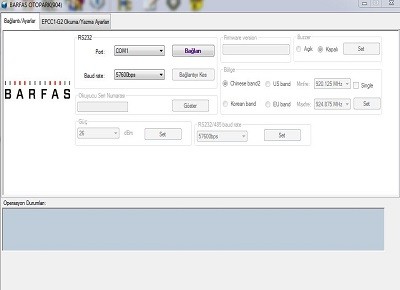
With the Barfas UHF RFID Parking Antenna SDK:
1) You can connect to the device via Wi-Fi.
2) You can connect to the device via USB.
3) You can use it with 2 different modes that you can choose according to your project.
4) After the connection is established, you can send output signals to the device from the Relay section.
5) After the connection is established, you can send output signals to the device from the Buzzer section.
6) You can read tags by connecting a new antenna to the RFID Reader.
7) You can change the tag reading time with Scan/Wait time functions.
8) You can change the EPC code of the read tag.
1) You can connect to the device via Wi-Fi.
2) You can connect to the device via USB.
3) You can use it with 2 different modes that you can choose according to your project.
4) After the connection is established, you can send output signals to the device from the Relay section.
5) After the connection is established, you can send output signals to the device from the Buzzer section.
6) You can read tags by connecting a new antenna to the RFID Reader.
7) You can change the tag reading time with Scan/Wait time functions.
8) You can change the EPC code of the read tag.
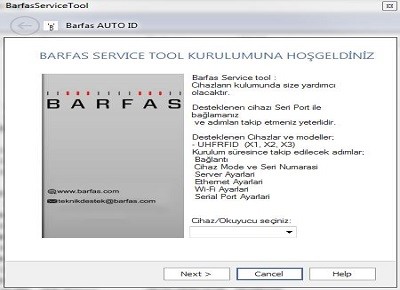
Barfas UHF RFID Single Port SDK
With the Barfas UHF RFID Parking Antenna SDK:
1) You can connect to the device via Wi-Fi.
2) You can connect to the device via USB.
3) You can use it with 2 different modes that you can choose according to your project.
4) After the connection is established, you can send output signals to the device from the Relay section.
5) After the connection is established, you can send output signals to the device from the Buzzer section.
6) You can read tags by connecting a new antenna to the RFID Reader.
7) You can change the tag reading time with Scan/Wait time functions.
8) You can change the EPC code of the read tag.
1) You can connect to the device via Wi-Fi.
2) You can connect to the device via USB.
3) You can use it with 2 different modes that you can choose according to your project.
4) After the connection is established, you can send output signals to the device from the Relay section.
5) After the connection is established, you can send output signals to the device from the Buzzer section.
6) You can read tags by connecting a new antenna to the RFID Reader.
7) You can change the tag reading time with Scan/Wait time functions.
8) You can change the EPC code of the read tag.
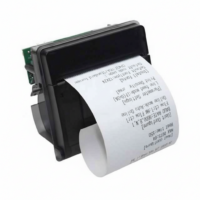
80 mm Kiosk Thermal Paper Printer Module - BY0112
- It is a high-quality product with automatic paper cutting and a wide printing area.
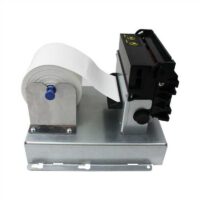
- It has a stylish appearance thanks to its metal apparatus.
- The printers can be easily mounted to your KIOSKs via connection points, ensuring long-lasting use.
- It has a stylish appearance thanks to its metal apparatus.
- The printers can be easily mounted to your KIOSKs via connection points, ensuring long-lasting use.
80 mm Kiosk Thermal Paper Printer Module - BY0120
- Print instantly at a speed of 150 mm per second.
- Save time with easy paper loading.
- Alerts you with its sensor when the paper runs out.
- Supports full or partial printing.
- Features both partial and full cutting options.
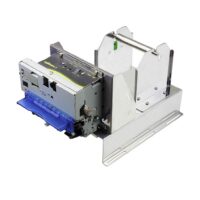
- Save time with easy paper loading.
- Alerts you with its sensor when the paper runs out.
- Supports full or partial printing.
- Features both partial and full cutting options.